Evan Forrest
Thank for your question! As your mouse is using AAA batteries, I can assume that you are using a Microsoft wireless mouse. There are a few things you need to check:
- Make sure the batteries are properly installed. Make sure the battery’s connectors clean and well contacted with the batteries. Your mouse’s LED indicator should light up when you turn it on.
- Make sure you have turned on the Bluetooth on your computer.
- Make sure your mouse is properly connected to your computer. Go to Settings > Devices > Bluetooth & other devices.
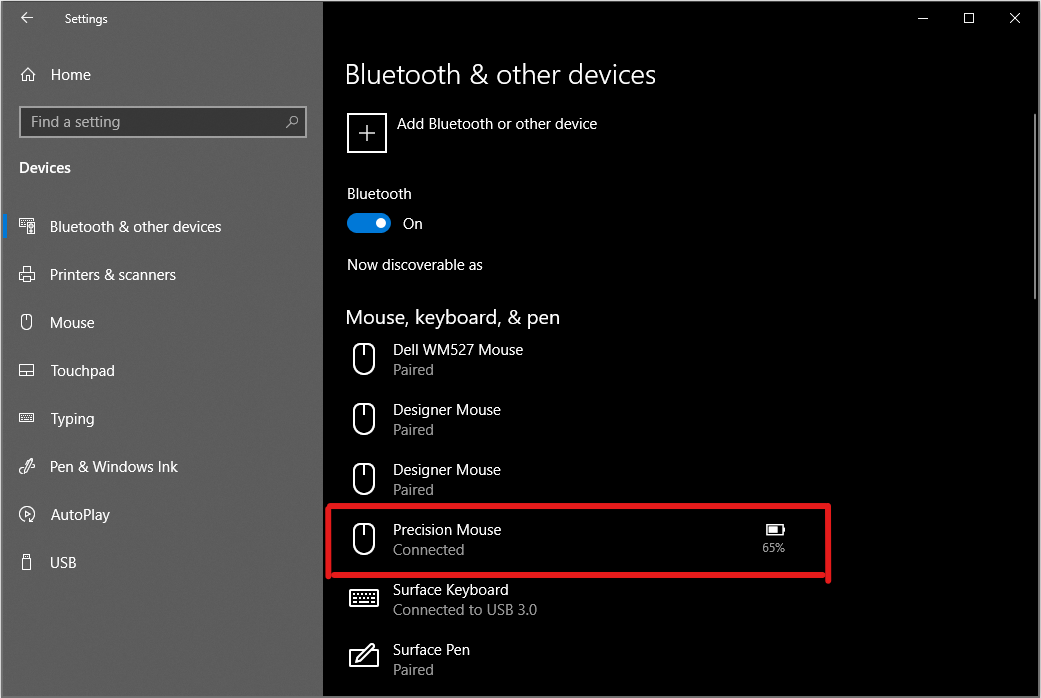
Finally, if you can’t make it works, you should go and get help from the Microsoft store where you bought it.
September 4, 2018 at 5:20 pm
#2328
.




COMMENTS
Share your ideas here!
If you don't have an account on our forums, you can use this comments section to share your issues, solutions, or any ideas related to the “The mouse doesn’t display the cursor” topic.